
Smart Shopping Cart · a Pixela intelligent product

Place your logo.
See it live.
Get your quote.

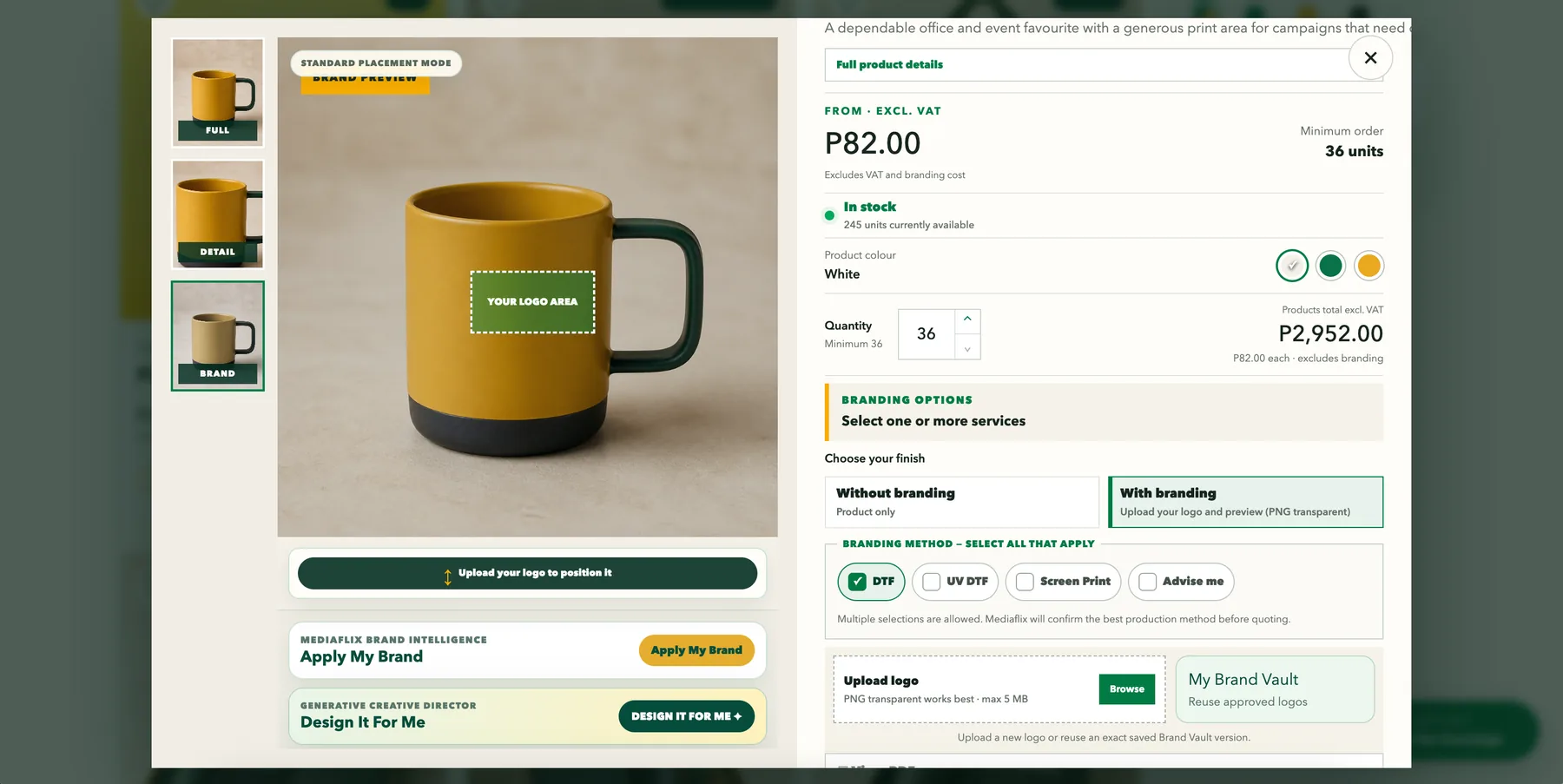
A shopping cart that lets customers see their idea before they order. They put their logo on the product, check a live mockup, choose how it is branded and get an instant quote estimate.
See how it works ↓
01Logo placed on the product02Live mockup before ordering03Instant quote estimate
Smart Shopping Cart
Product page with a logo placement preview on a mug, branding options and quantity

Why it works

Fewer emails. Clearer orders. Faster quotes.

Built for businesses that sell customised products, such as corporate gifts, apparel, workwear and promotional items.

▣

Customers see the result

The logo appears on the real product, so there are no surprises when the order is made.

✦

Complete orders

Logo, branding method, colour and quantity arrive together, ready for the team to confirm.

☰

Instant quote estimate

Products, branding and VAT add up as the customer builds the order.

◎

Stock you can trust

Customers see what is in stock, and the business confirms production and delivery.

How it works

From product to quote in four steps.

1

Choose the product

Customers browse the range the way they would in any shop, then narrow it down.
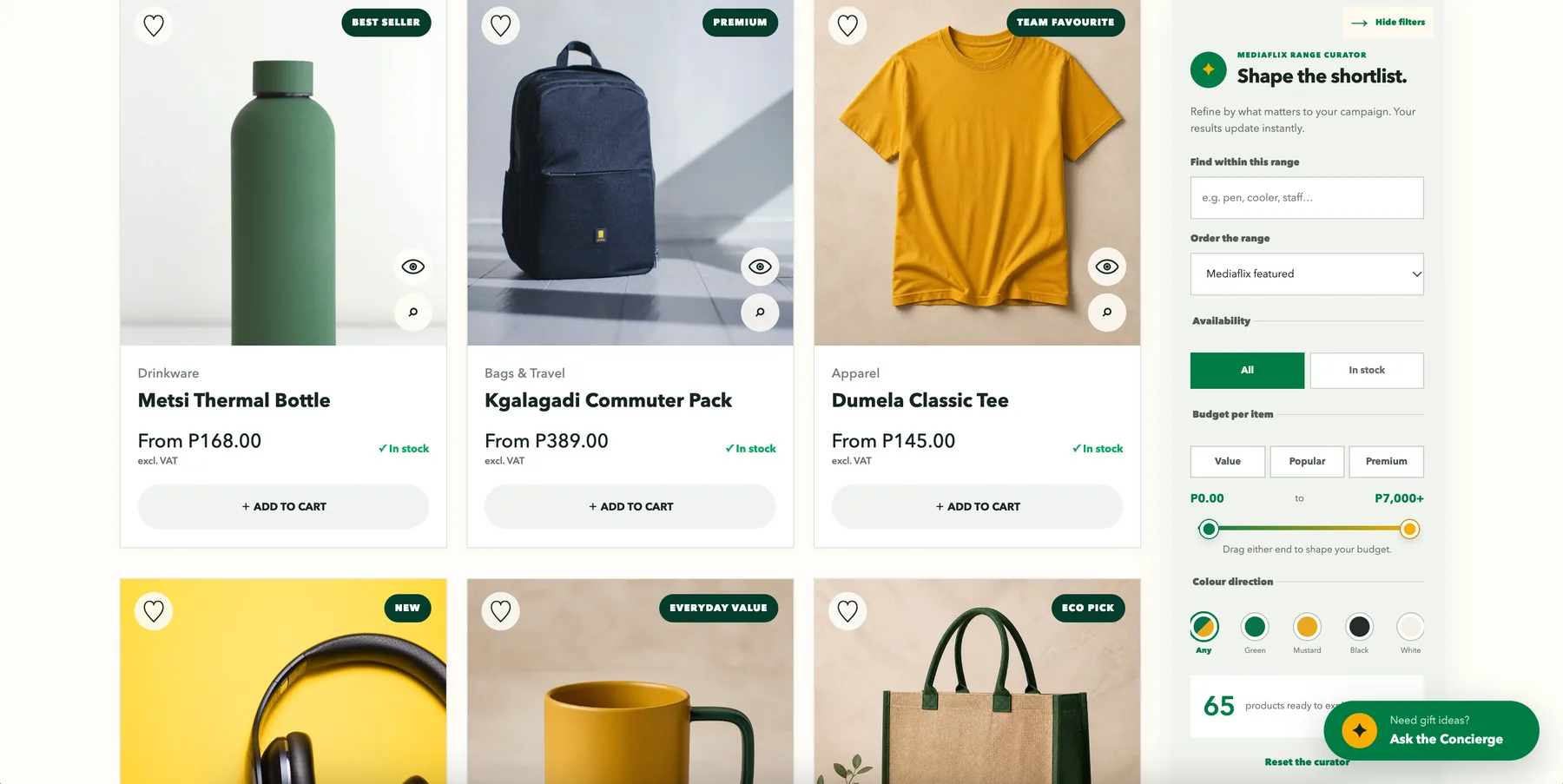
  • Browse by category, such as gifts, apparel, workwear, bags, drinkware and tech
  • Filter by budget, colour and availability
  • See the price and stock level on every product
Product grid with filters for availability, budget and colour
2

Place the logo and see the live mockup

This is the heart of the cart. The customer sees exactly where their logo will go.
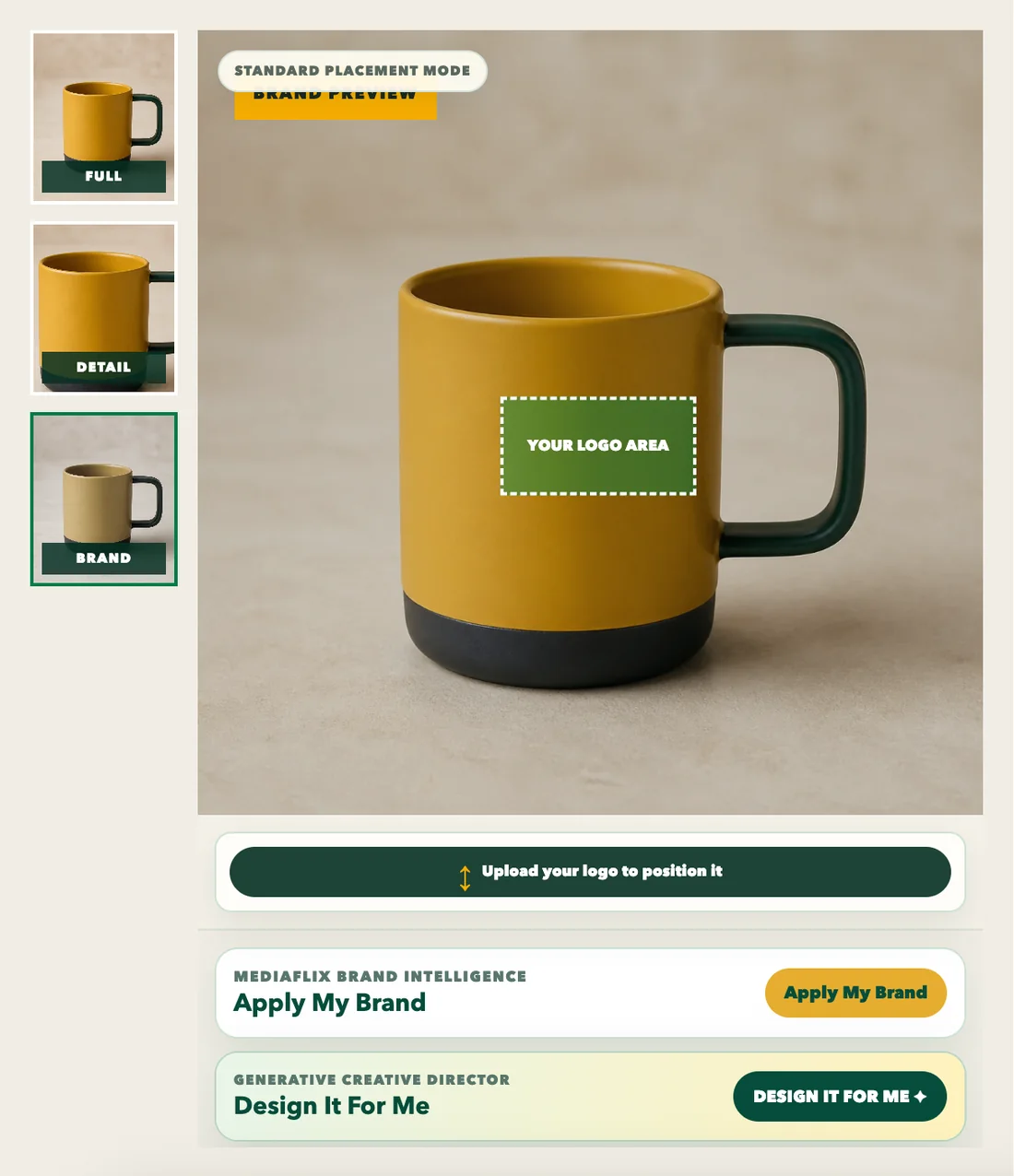
  • Upload a transparent PNG logo and position it in the marked logo area
  • Preview it on the product, in each colour
  • Reuse an approved logo from PIP Brand Vault, or ask the system to design one
Product preview with the logo area marked on a mug
3

Choose how it is branded

Customers pick the finish and the method. The business confirms the best option before quoting.
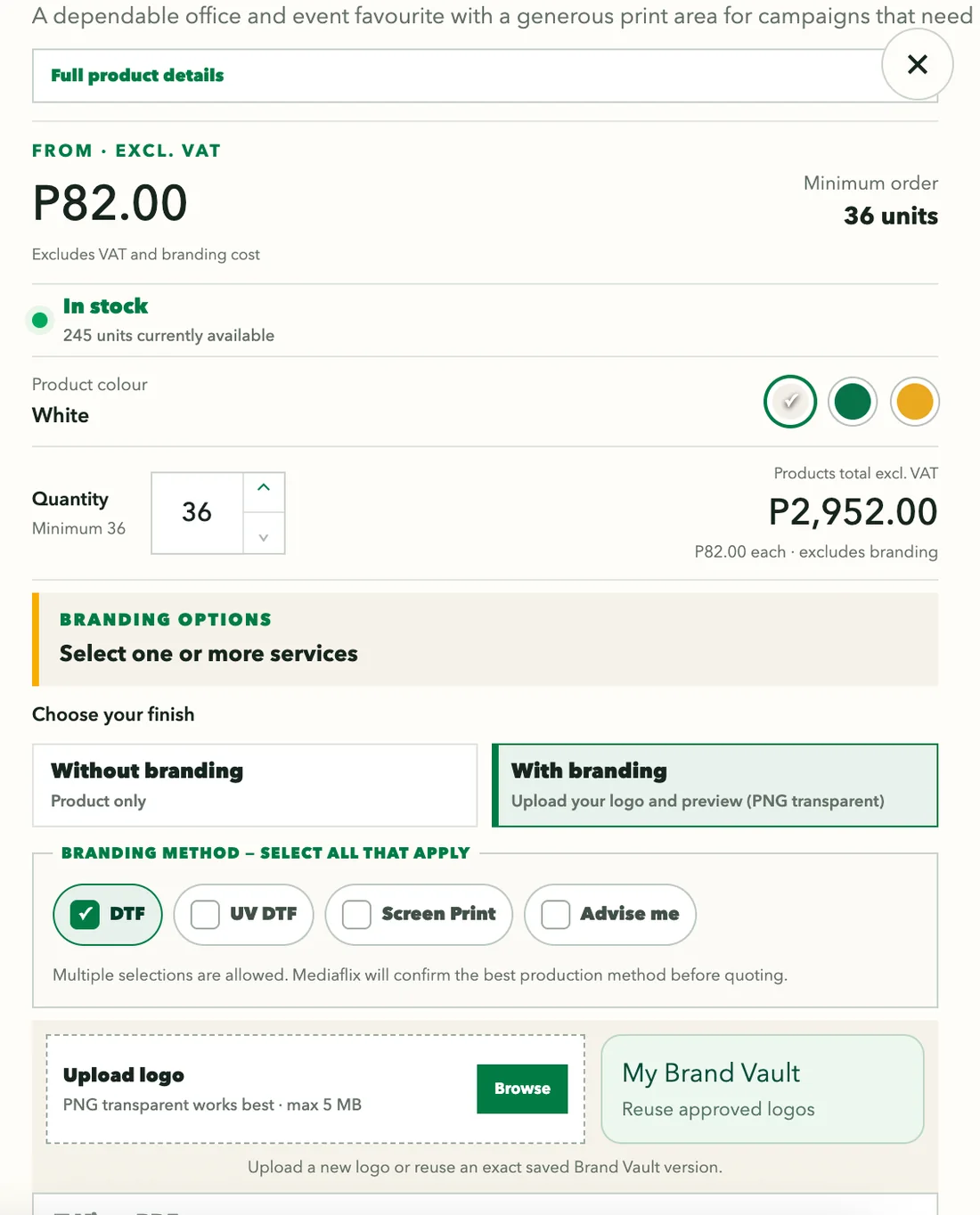
  • Choose with or without branding
  • Select one or more branding methods, such as DTF, UV DTF or screen print, or ask for advice
  • Set the quantity and see the product total update
Branding options, quantity and logo upload
4

Get an instant quote

The order summary builds as the customer shops, so the quote request is complete the first time.
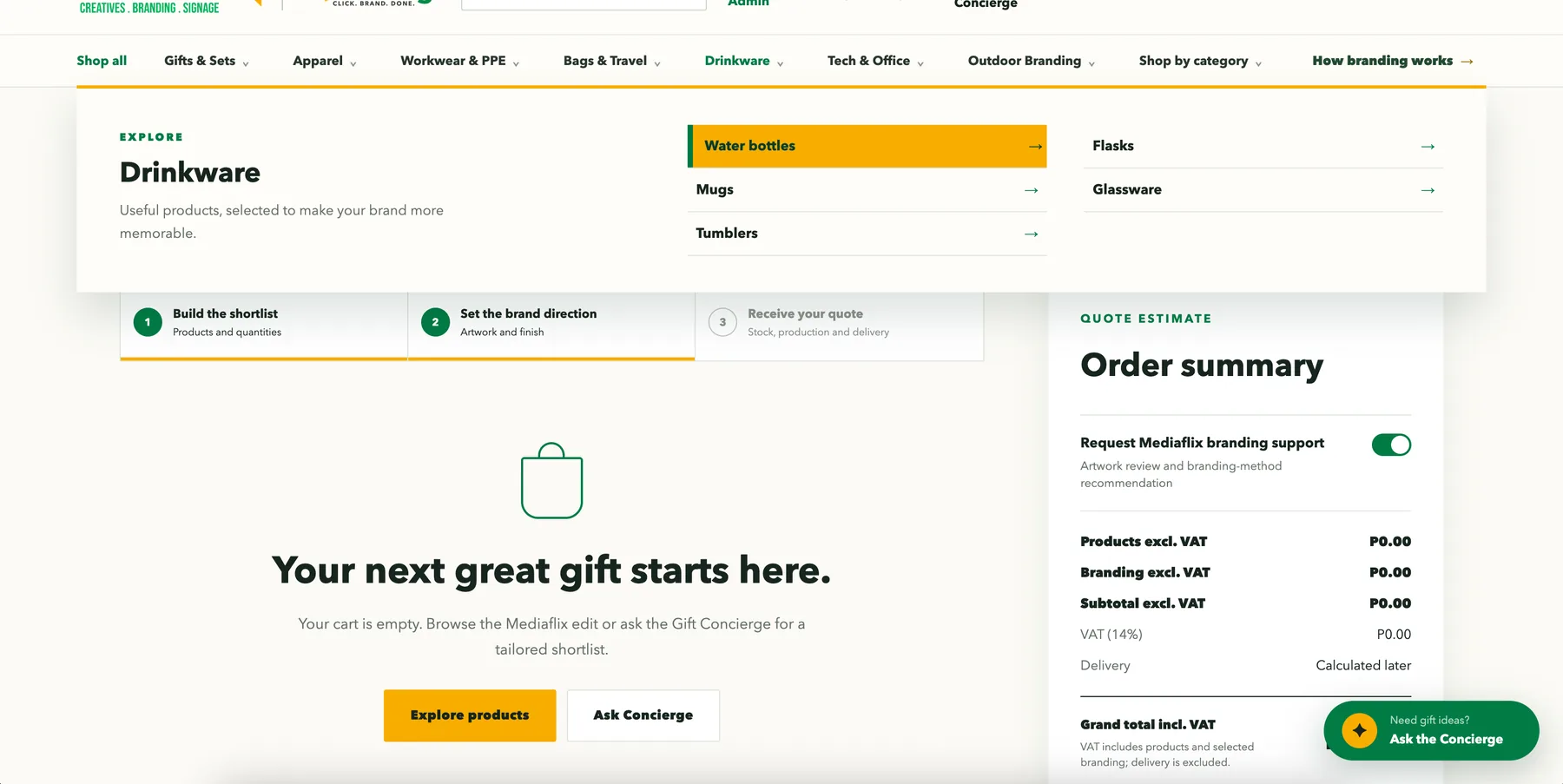
  • Products and branding shown separately, with VAT
  • Delivery calculated once the order is confirmed
  • Request branding support for artwork review and method advice
Cart with category menu and order summary

Start with the outcome

Tell us what you sell.

Describe your products and how customers order.

Pixela will shape a Smart Shopping Cart around your range, branding options and quotation process.

Talk to Pixela
PIP